Your Custom GPTs and Gems Are About to Break (Again): A Survival Guide for AI Builders
AI models keep updating. Your Custom GPTs and Gems that worked perfectly the previous day might start writing Shakespearean sonnets the next day. This will keep happening. You can't control when models update, but you can control how you build. This guide shows you the simple, "boring" habits to create assistants that survive model upgrades—no coding required. Save your best prompts, make backups, be painfully explicit, and keep things simple.
Anyonecanai
11/22/20256 min read
It happened again.
You woke up, grabbed your coffee, and asked your "Sales Coach" GPT to critique a cold email. But instead of the sharp, punchy feedback it gave you last week, today it wrote you a three-paragraph essay on the "tapestry of corporate synergy."
You probably had that familiar sinking feeling: "Oh god, is my assistant broken? Do I need to rebuild everything? WHY DOES THIS KEEP HAPPENING?"
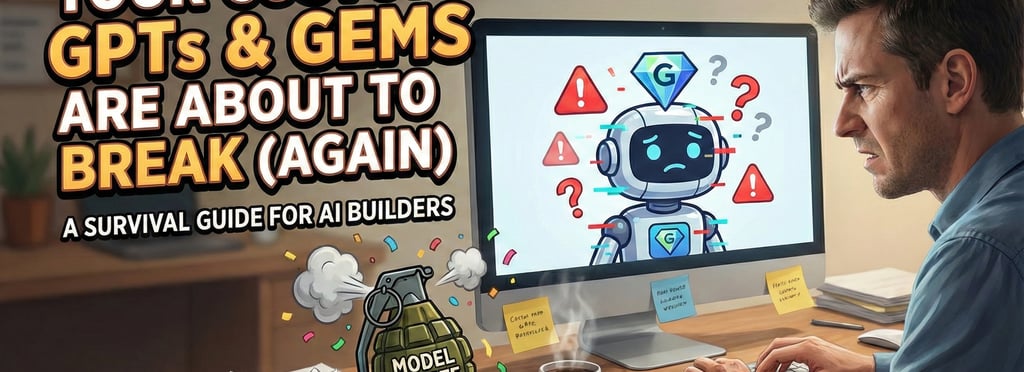
And look, that is a completely rational response. Because here is what nobody tells you when you start building these AI assistants: Every major model update is basically a silent grenade lobbed into your carefully constructed workflow.
Your Custom GPT instructions that worked beautifully last month? The new model thinks they are "suggestions." Your Gem that was perfectly tuned? The new model interprets your tone completely differently.
And the worst part? This isn't a one-time glitch. This is your life now. The upgrade treadmill never stops, and you are running on it whether you like it or not.
At Anyonecanai.cloud, we help people build AI systems that don't implode every time Sam Altman or Sundar Pichai pushes a button. And here's the thing: you don't have to live like this. You can build Custom GPTs and Gems that survive upgrades.
So today, we’re going to answer three questions:
Why do they keep breaking? (Spoiler: You are building a house on a moving cliff.)
What do you do right now? (The panic-free checklist.)
How do you build for the future? (Making your bots resilient.)
Let’s save your Custom GPTs and Gems—and your sanity.
Why Your Custom GPTs and Gems Keep Breaking (And Why They Won't Stop)
Here is the uncomfortable truth: OpenAI and Google are optimizing for "God-like Intelligence," not for keeping your "Invoice Sorter Bot" stable.
I know that sounds harsh, but think about it. AI is still in its "Wild West" phase. When OpenAI upgrades from GPT-4 to GPT-5, or Google ships Gemini 3, they are optimizing for:
Solving complex physics problems.
Writing better Python code.
Scoring higher on benchmarks that look good on Twitter.
What they are not optimizing for is Kevin from Accounting and his preference for bullet points.
The "Michelin Chef" Problem
Think of it like changing chefs in a kitchen.
The Old Model: This was your reliable diner cook. You asked for a "Grilled Cheese," and he gave you bread and melted cheddar. It wasn't fancy, but it was exactly what you wanted.
The New Model: This is a 3-Star Michelin Chef. He is technically a genius. But when you ask for a "Grilled Cheese," he hands you a deconstructed brioche foam with a cheddar reduction.
Is it "better"? Technically, yes. Is it what you wanted for lunch? Absolutely not.
The Three Ways Updates Break Your Stuff
1. Instruction Interpretation Drift (Or: "I Didn't Say That")
The new model reads your instructions with a different "vibe."
Old Model: You said "Be professional." It used polite grammar.
New Model: You said "Be professional." It now acts like a Victorian butler who is secretly judging you.
The words didn't change. The interpretation did.
2. Changed Default Behaviors
Models have hidden defaults. Maybe the old Gemini was chatty, and the new Gemini is direct. You never wrote "be chatty" in your instructions; the model just did it. Now that default is gone, and your friendly assistant suddenly feels cold and robotic.
3. Capability "Improvements"
The new model is smarter. Great! Except your old instructions included a bunch of "hacks" to get the dumb model to work. Now, those hacks confuse the smart model. It’s like screaming turn-by-turn directions at a driver who already has GPS—you’re just annoying them now.
Your Immediate Survival Checklist (When An Update Drops)
Okay, the update dropped. Your bot is acting weird. Do not burn the house down just because the toaster is acting up. Do this instead.
Step 1: Don't Panic (Seriously)
Most updates are incremental. GPT-5.1 is an evolution, not a lobotomy. Your assistant is probably 90% fine. Do not immediately rewrite all your instructions. That is panic behavior. That is throwing out your entire wardrobe because one shirt feels tight.
Step 2: Test Only What Matters
You don't need to test everything.
Critical: The bot your team uses to write client reports.
Not Critical: The bot you made to generate funny cat names.
How to test:
Open the Custom GPT or Gem.
Use Incognito/Temporary Chat: Do not pollute your history.
Run 5 typical prompts.
Compare the results to your memory (or better yet, your records).
Step 3: The "Remember Who You Are, Simba" File (Golden Prompts)
This is the single best habit you can form.
Create a text file called "My Best Prompts.txt".
Whenever your Custom GPT or Gem gives you a perfect response, copy the prompt and the response into this file.
When an update breaks things, feed those exact prompts back into the bot.
If it works? You're good.
If it breaks? You know exactly what broke (e.g., "Oh, it stopped doing bullet points").
(We created a "Golden Prompts Template". Download it here (email required).
Step 4: Backup Before You Tweak
Before you start angrily editing your instructions, COPY PASTE THE OLD ONES INTO A DOC.
Call it Sales_Bot_Backup_Nov_2024.txt.
Sometimes your "fixes" make things worse. You need an Undo button.
How to Build Custom GPTs and Gems That Don't Explode
We’ve covered survival. Now let’s talk about building differently. You need to stop building fragile instructions and start building "Resilient" ones.
Principle #1: Be Extremely Explicit (The "Terrifying Intern" Rule)
Newer models are "smarter," which ironically means they make more assumptions. They think they know what you want better than you do. You must stop being polite.
Treat your Custom GPT not like a genius collaborator, but like a terrifyingly literal intern who has had four espressos and zero sleep.
Fragile Instruction:
"You are a helpful sales coach. Help users prepare for calls."
Resilient Instruction (Copy This):
[ROLE]: You are a Sales Coach.
[GOAL]: Help users prepare for sales calls.
[THE PROCESS]:
When a user describes a call, you must:
Ask exactly 3 clarifying questions.
WAIT for the user to answer.
Provide 3 specific talking points.
[CONSTRAINTS - DO NOT IGNORE]:
Do NOT use generic advice like "build rapport."
Do NOT write more than 300 words.
Do NOT use the word "delve" or "tapestry."
Keep the tone encouraging but direct.
Vague instructions are elegant, but elegant breaks. Explicit instructions are boring, but boring survives.
Principle #2: Use Examples (The "Look At This" Method)
The "Examples" section (in GPTs) or just adding examples to your System Instructions (in Gems) is your anchor.
Don't just tell the model what to do. Show it.
Show a Good Response: "Here is exactly how you should format the output."
Show a Bad Response: "Never respond like this."
Models cling to examples like a life raft when their underlying logic shifts.
Principle #3: One Bot, One Job
If your "Marketing Assistant" writes blogs, generates images, analyzes SEO, and writes Tweets... it is going to break. Complex instructions confuse models during updates.
Split them up:
Blog Writer Bot
SEO Analyzer Bot
Tweet Generator Bot
If the Blog Writer breaks, you can still use the others. This is called "compartmentalizing the damage."
Principle #4: The "Sanity Check" List
Keep a list of 5 real-world requests you make often.
"Critique this email."
"Summarize this PDF."
"Draft a LinkedIn post."
When a new model drops, run these 5. If they work, go back to your life.
Your Long-Term Strategy (Acceptance)
Model updates are not going away. GPT-6 will break things. Gemini 4 will break things. This is the price of admission for using cutting-edge tech.
1. Schedule Maintenance
Put a recurring event on your calendar: "AI Sanity Check."
Once a month, spend 30 minutes testing your top 3 bots. Catch the drift before your clients do.
2. Know When to Upgrade
If you are managing 20+ Custom GPTs, or if a broken bot costs your business actual money, you have likely outgrown the web interface.
Web-based Custom GPTs and Gems are amazing, but they are consumer tools. They don't let you "pin" a model version. You are always at the mercy of the latest update.
If you need stability, you might need to move to API-based solutions where you can control the code and the version.
Frequently Asked Questions (FAQ)
Q: Why did my Custom GPT suddenly become lazy/shorter?
A: Newer models are often optimized for "efficiency" (saving server costs). If your bot is too brief, update your instructions to explicitly say: "Do not summarize. Write a comprehensive response of at least 500 words."
Q: Can I stop OpenAI or Google from updating my model?
A: Not if you are using the ChatGPT or Gemini web interface. You are always on the latest default model. To get version control, you must build using the API.
Q: My Gem is hallucinating more after the update. Why?
A: Updates often change the model's "temperature" or creativity settings. Add a constraint in your instructions: "If you do not know the answer, explicitly state that you do not know. Do not make up facts."
The Bottom Line
You have two choices:
Keep building fragile bots and scrambling every three months.
Build "boring," explicit, resilient assistants using the habits above.
The models will keep changing. OpenAI and Google don't care if your workflow breaks. But you can care.
Tired of the "Update Panic"?
Look, if you have outgrown the chaos of the web interface—if you need AI systems that are version-controlled, automated, and actually reliable—we can help.
At Anyonecanai.cloud, we build AI infrastructure that doesn't crumble when the wind changes.
Contact us for a Resilience Audit. Let’s look at your setup and figure out how to stop the "Silent Grenades" from ruining your week.